
Prompt Meter
See how much of every AI plan you have left, right on your Home Screen.
Download on the App Store →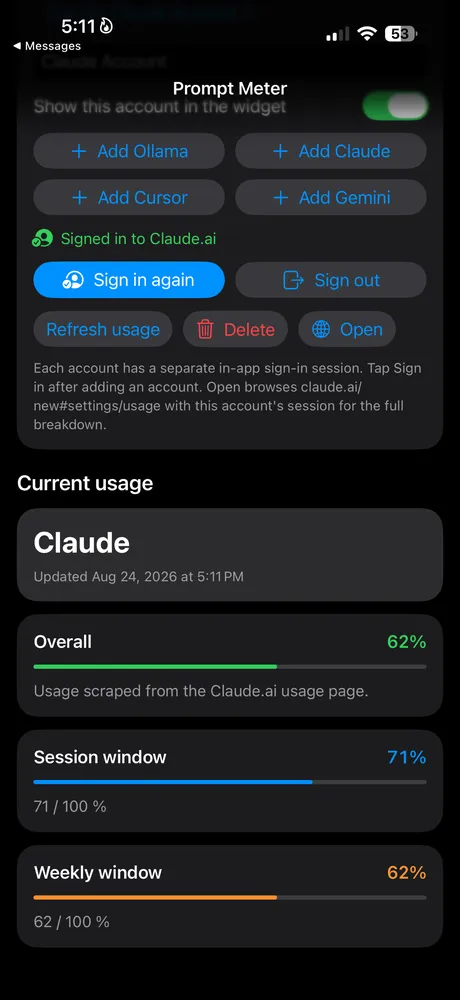
About Prompt Meter
Every AI provider keeps its usage limits in a different dashboard. Prompt Meter pulls them into one place, so you can see your session, weekly and plan usage for Claude, Cursor, Gemini and Ollama before you hit a wall.
Add an account, sign in on the provider's own site inside the app, and Prompt Meter reads your usage from the signed-in dashboard. No API keys needed. A Home Screen widget shows the last synced numbers and pages through all your accounts with a tap.
Features
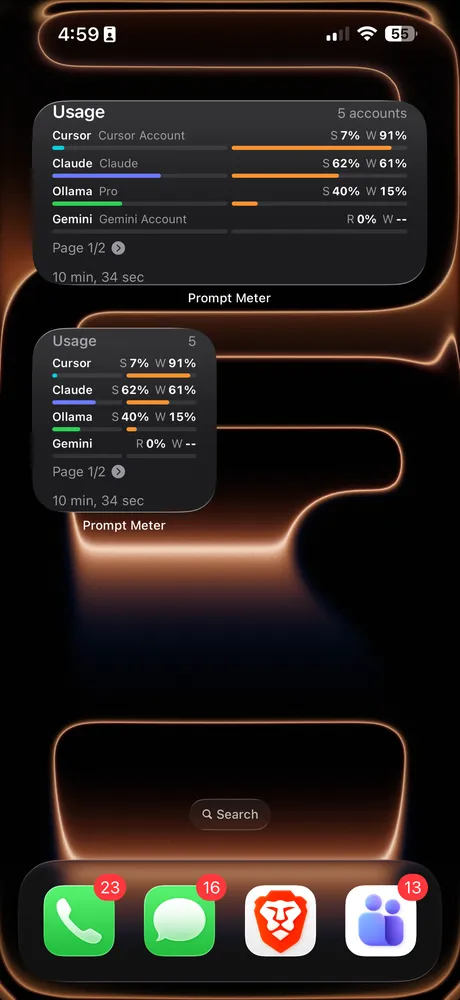
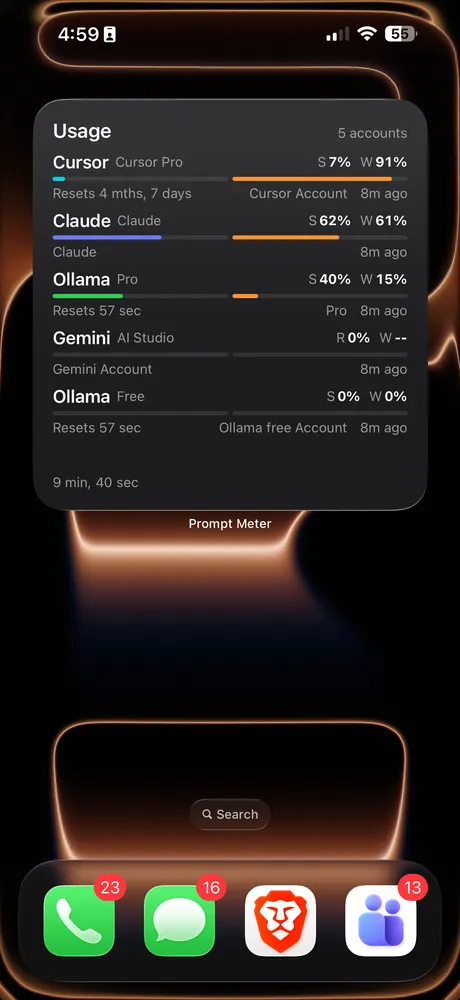
- Home Screen widgetSession and weekly usage at a glance on iPhone and iPad, in small and large sizes.
- Four providersClaude, Cursor, Gemini (Google AI Studio) and Ollama.
- Multiple accountsAdd more than one account per provider, and tap the widget to page through them.
- Reset timesSee when each session and weekly window resets and when numbers were last updated.
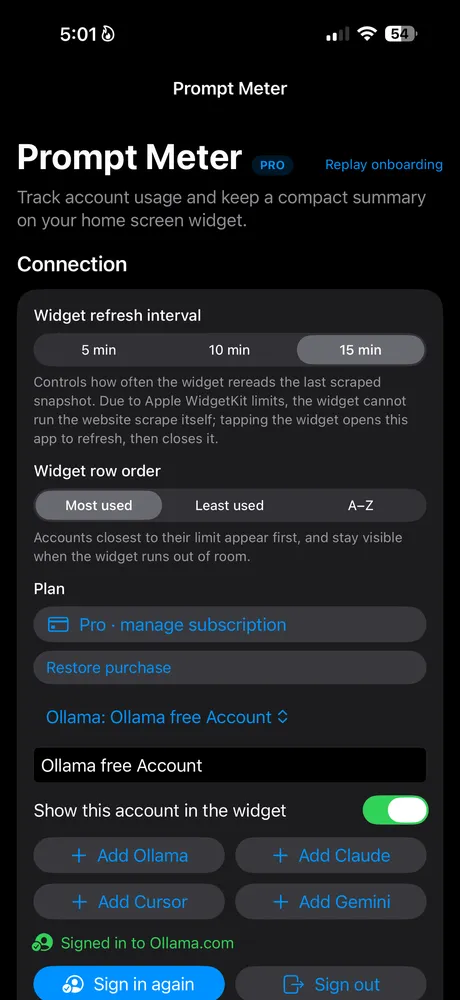
- Your widget, your orderSort by most used, least used or A–Z, hide accounts you don't need, and pick a refresh interval.
- Private by designLogins, cookies and usage stay on your device. Nothing is uploaded to Prompt Meter.
Who it's for
Developers, writers and power users who juggle several AI subscriptions and want to know which plan still has room before starting a long session, without opening four different dashboards.
Prompt Meter FAQ & support
Claude, Cursor, Gemini (Google AI Studio) and Ollama. You can add more than one account per provider, for example a personal and a work Claude account.
No. Add an account, sign in on that provider's own website inside the app, and Prompt Meter reads your usage from the signed-in dashboard.
On your device. Accounts, cookies and usage numbers stay on your iPhone or iPad in an app group shared only with the widget. Nothing is uploaded to Prompt Meter's servers.
Apple limits how often widgets can refresh, so the widget shows the last synced snapshot. Open the app or tap the widget to refresh, and set how often the widget rereads data under Widget refresh interval in Settings. If a provider shows old numbers, tap Sign in again on that account.
Tap the widget to page through every account. Use Show this account in the widget to hide an account, and Widget row order to sort by most used, least used or A–Z.
Prompt Meter starts with a 7-day free trial. After that, Prompt Meter Pro is an auto-renewing subscription (weekly, monthly or yearly) that keeps unlimited accounts and the widget. Current prices are shown in the app and on the App Store.
Cancel anytime in Settings › Apple ID › Subscriptions, at least 24 hours before the period ends. If you reinstall or switch devices, use Restore purchase in the app's Settings.
Purchases are handled by Apple. Go to reportaproblem.apple.com or your Apple ID purchase history, find the purchase and choose Report a Problem.
No. Prompt Meter is an independent app and is not affiliated with or endorsed by any of the providers it supports.
Still need help?
Email support@jimmyfatmasterson.com and include your device model, iOS version, which provider you're using and what happened. We usually reply within 24–48 hours. See our Privacy Policy, Terms of Service and Apple's standard EULA.
 Vertical Indicator
 Routine Hub
 PlaneAboveMe
 Push-Ups: Form & Rep Tracker
 Segmented Timer
 Penguin Poop
 CarInsight
 TrackSets
 myPill-Pal
 SnapNSplit