
About Segmented Timer
Segmented Timer lets you build a workout, or any timed activity, out of back-to-back segments. Set a length for each segment, press start, and get a sound, voice or vibration cue every time one ends and the next begins.
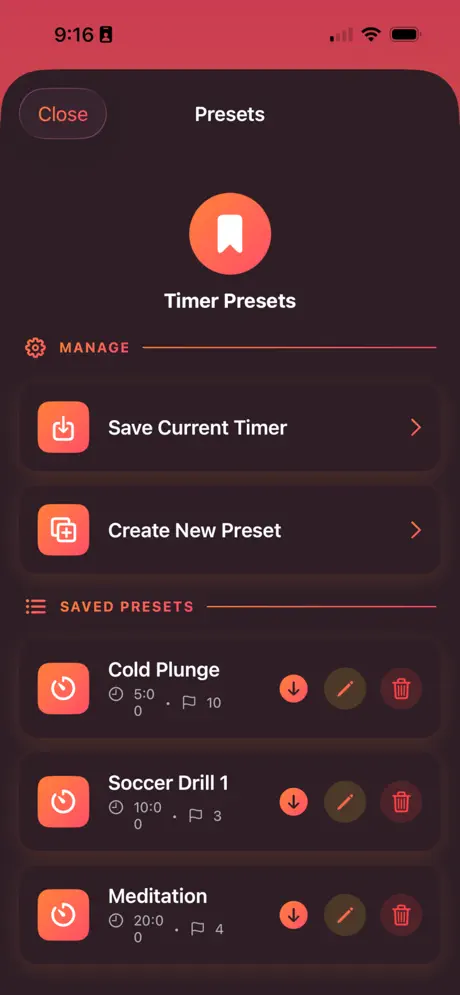
Save your favorite sequences as presets so a cold plunge, a soccer drill or a meditation session is one tap away. Your music keeps playing while the timer runs.
Features
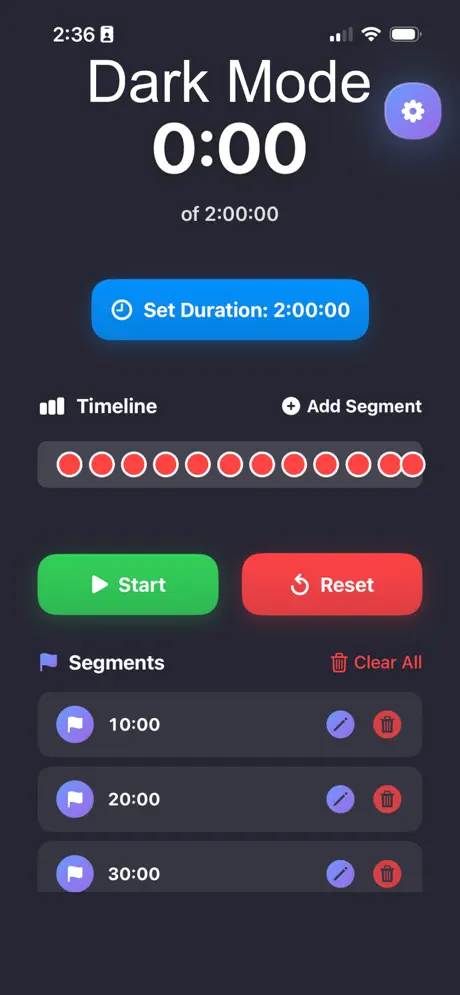
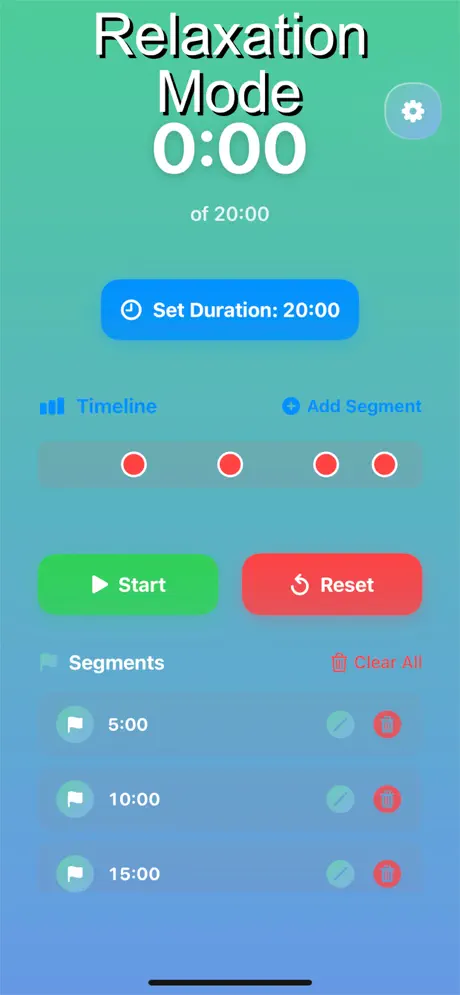
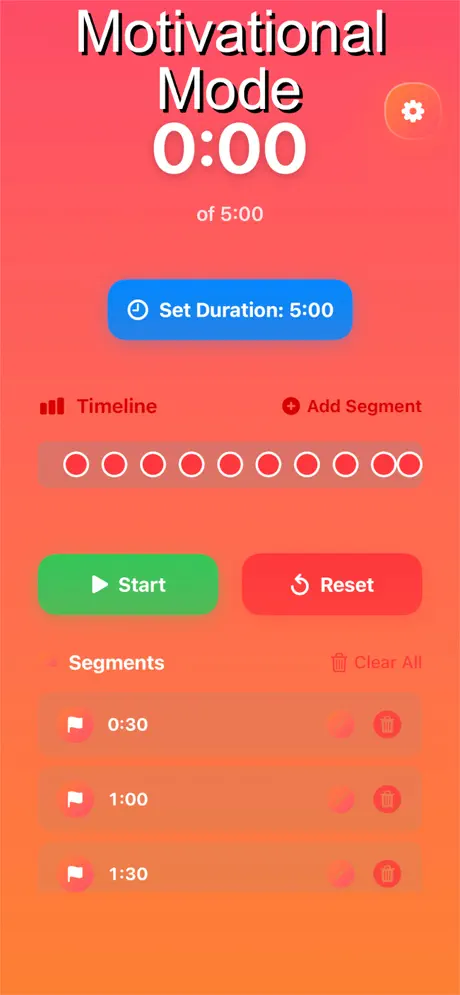
- Unlimited segmentsBuild sequences of any length with a visual timeline of every segment.
- PresetsSave, edit and reuse your timers.
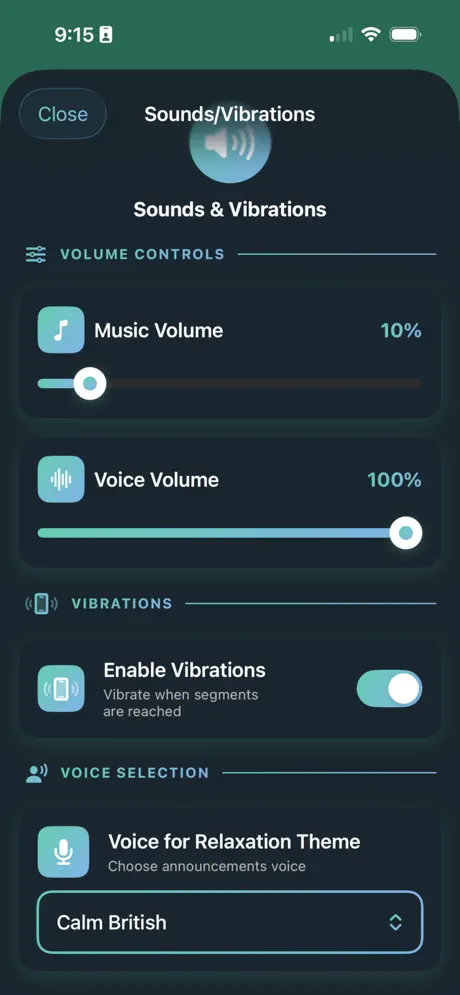
- Sound, voice and vibration alertsAdjust music and voice volume separately, pick an announcement voice and turn vibrations on or off.
- ThemesSwitch between Dark, Relaxation and Motivational modes.
- Plays with your musicBackground audio support keeps your playlist going.
Who it's for
HIIT and CrossFit sessions, running intervals and sprints, boxing rounds, yoga and meditation, as well as cooking, studying and any task that runs in timed blocks.
Segmented Timer FAQ & support
Yes. Segmented Timer supports background audio, and you can set music and voice volume separately under Sounds & Vibrations.
Set up your segments, open Presets and choose Save Current Timer. Your saved presets appear in the same screen.
Turn on Enable Vibrations in Sounds & Vibrations to get a haptic alert at each change, as well as the sound or voice cue.
Yes, it's free to download on the App Store.
Purchases are handled by Apple. Go to reportaproblem.apple.com or your Apple ID purchase history, find the purchase and choose Report a Problem.
Still need help?
Email support@jimmyfatmasterson.com and include your device model, iOS version and what happened. We usually reply within 24–48 hours. See our Privacy Policy and Terms of Service.
 Vertical Indicator
 Routine Hub
 PlaneAboveMe
 Push-Ups: Form & Rep Tracker
 Penguin Poop
 CarInsight
 TrackSets
 myPill-Pal
 Prompt Meter
 SnapNSplit