
SnapNSplit: Check Splitter
Snap the receipt, split the bill, add the tip and see what everyone owes.
Download on the App Store →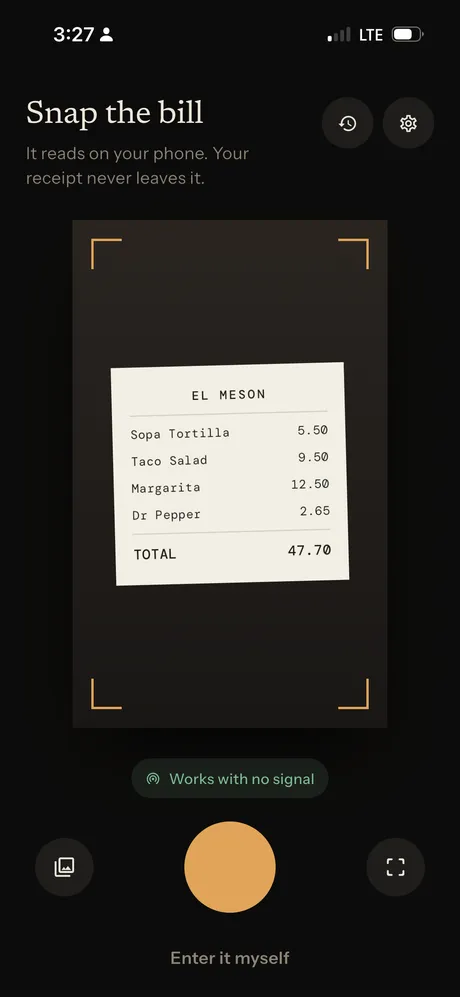
About SnapNSplit
Dinner with friends should be about the food and the conversation, not doing math on a restaurant receipt. SnapNSplit turns a photo of the check into a list of items you can split in a few taps.
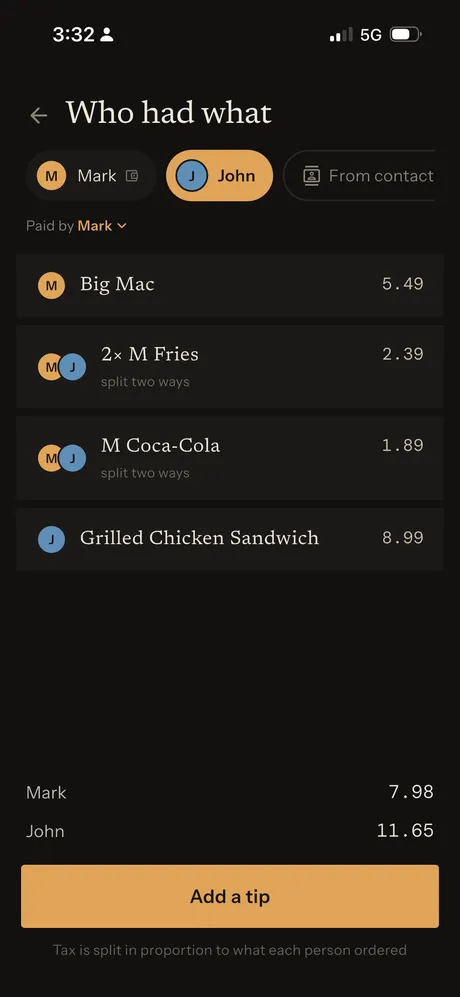
Assign each item to whoever ordered it, share appetizers and drinks between people, add a tip and see exactly what everyone owes. Tax and tip are split in proportion to what each person ordered, then you send the totals round in one message.
Features
- Receipt scannerSnap the bill or pick a photo. It reads on your phone, works with no signal and your receipt never leaves your iPhone.
- Split by itemAssign each dish and drink to the people who had it, and split shared items between them.
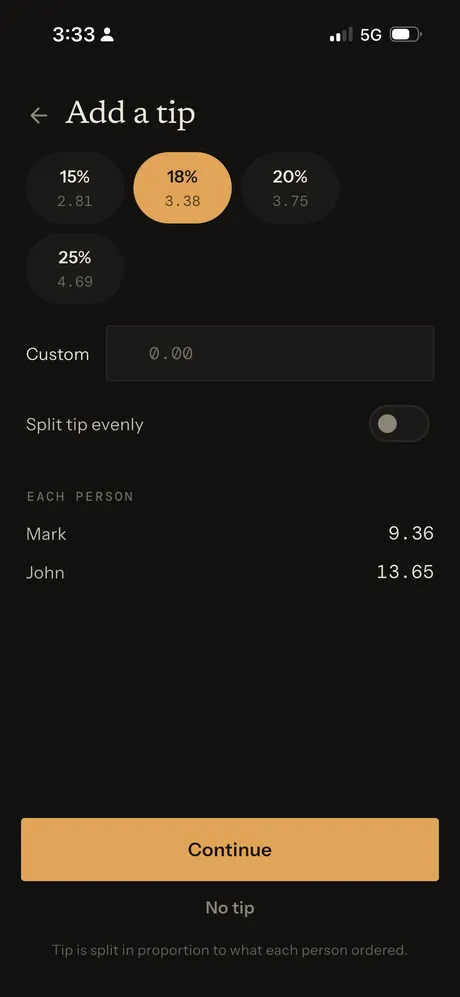
- Tip calculatorChoose 15%, 18%, 20%, 25% or a custom tip, split proportionally or evenly.
- Fair taxTax is split in proportion to what each person ordered.
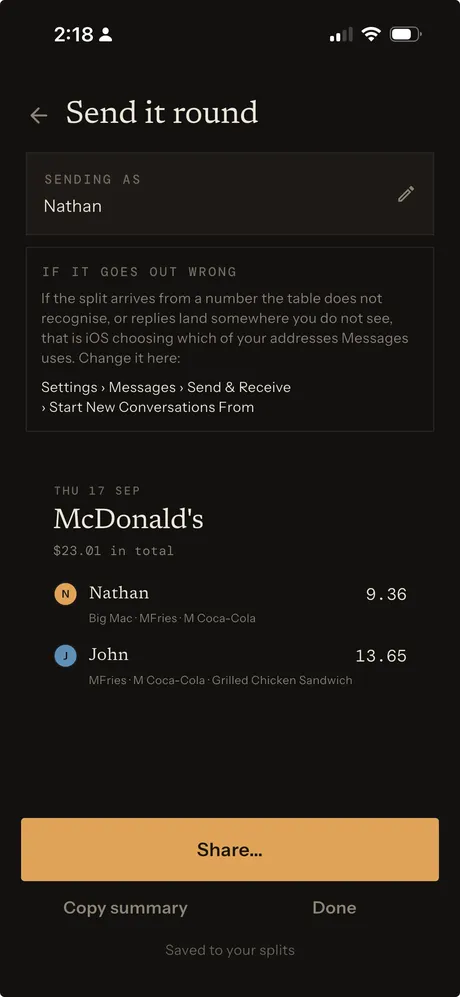
- Share the totalsSend everyone their amount and what they ordered through Messages, or copy the summary.
- Saved splitsPast bills are saved so you can check who owed what later.
Who it's for
Anyone splitting a restaurant check: dinner with friends, lunch with coworkers, family meals, birthday dinners, coffee runs and any meal where everyone ordered something different.
SnapNSplit FAQ & support
Take a photo of the receipt, or pick one from your photo library. SnapNSplit reads the items and prices on your iPhone, so your receipt never leaves your phone and scanning works with no signal. You can also tap Enter it myself to type the bill in.
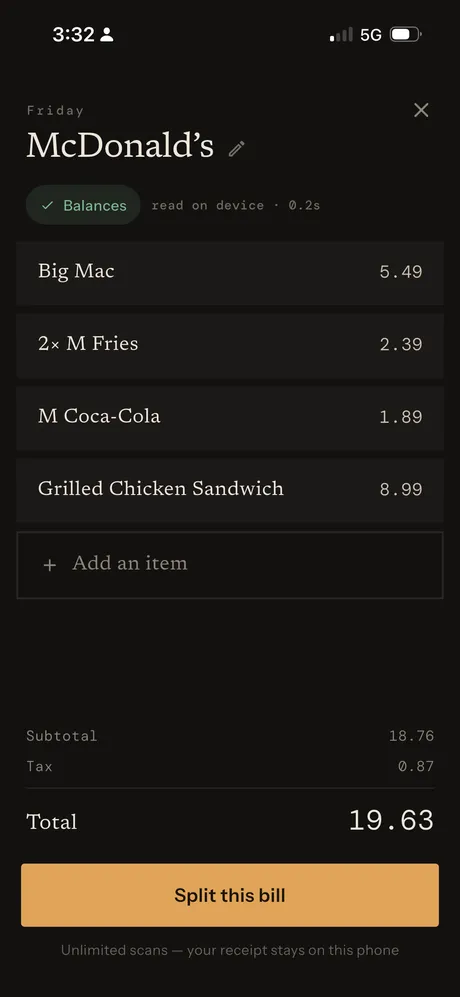
Tap an item to fix its name or price, or tap Add an item for anything that was missed. Check the subtotal and total against your receipt before you split.
On Who had what, assign the item to everyone who shared it. SnapNSplit splits it between them, for example a shared order of fries split two ways.
Pick 15%, 18%, 20% or 25%, enter a custom amount, or choose No tip. Tax and tip are split in proportion to what each person ordered. Turn on Split tip evenly to divide the tip equally instead.
Tap Share to send the summary through Messages or any other app, or tap Copy summary to paste it anywhere. Each split is saved so you can look back at it later.
Yes. SnapNSplit is free to download on the App Store, with unlimited scans.
Purchases are handled by Apple. Go to reportaproblem.apple.com or your Apple ID purchase history, find the purchase and choose Report a Problem.
Still need help?
Email support@jimmyfatmasterson.com and include your device model, iOS version and what happened. We usually reply within 24–48 hours. See our Privacy Policy, Terms of Service and Apple's standard EULA.
 Vertical Indicator
 Routine Hub
 PlaneAboveMe
 Push-Ups: Form & Rep Tracker
 Segmented Timer
 Penguin Poop
 CarInsight
 TrackSets
 myPill-Pal
 Prompt Meter