
VisorMon
Monitor and manage your Proxmox VE servers from your phone.
Read the user guide → Download the PDF guide →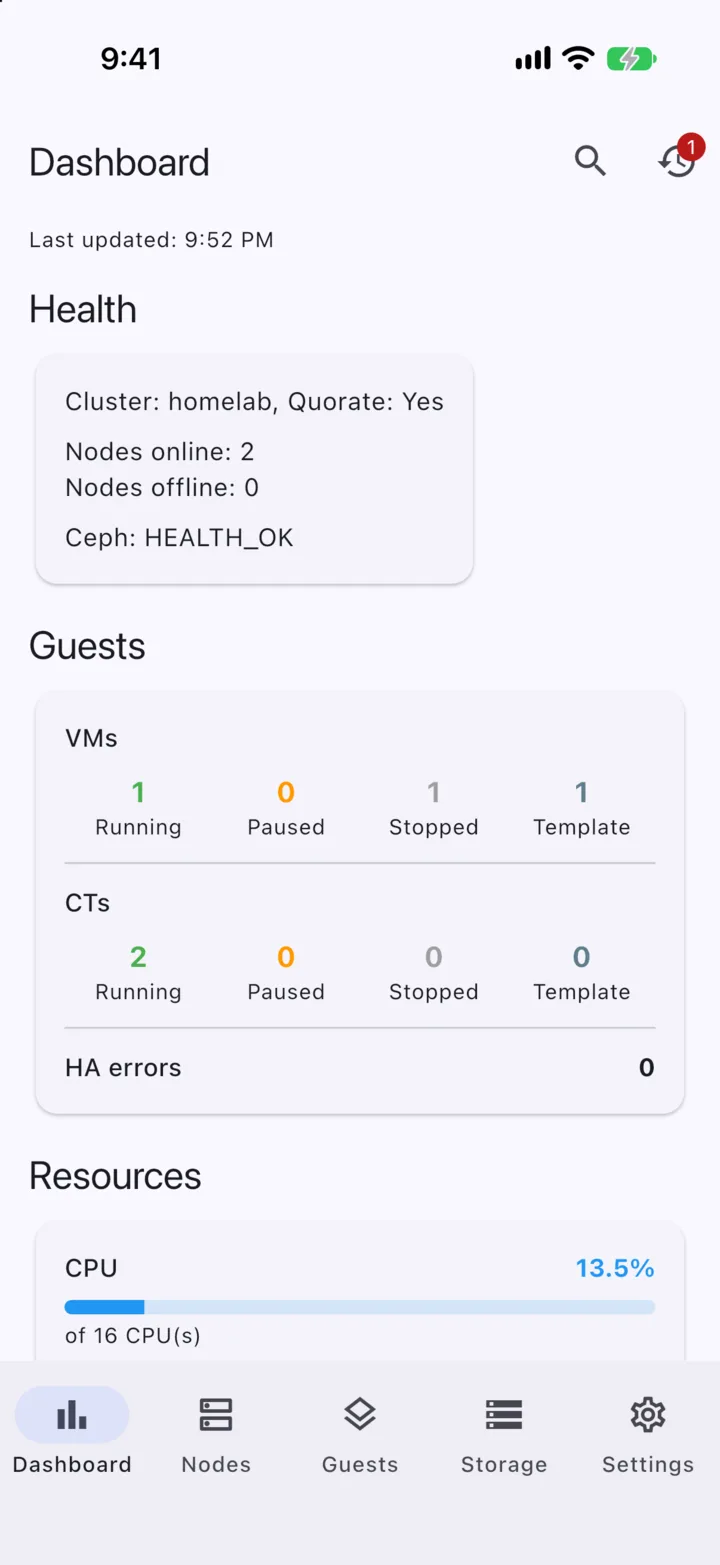
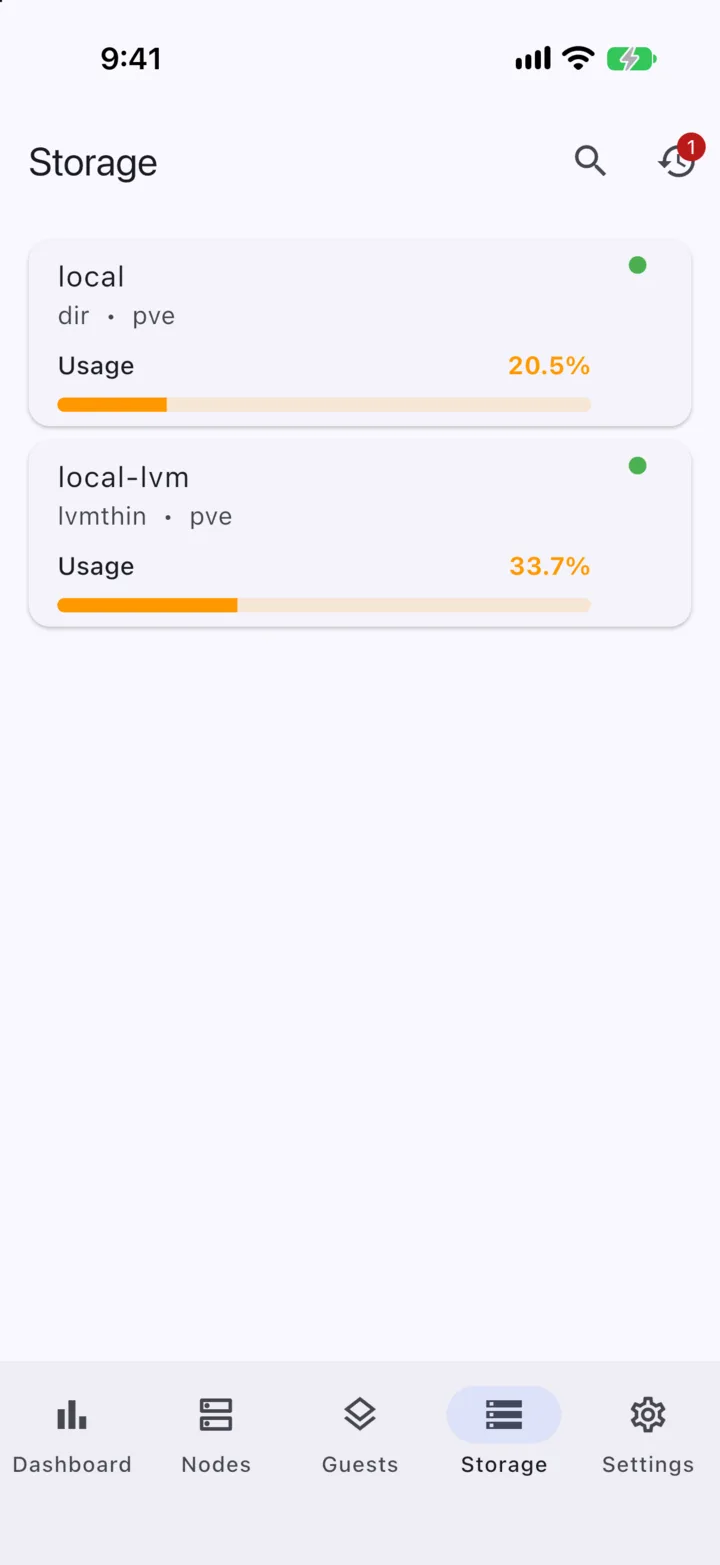
About VisorMon
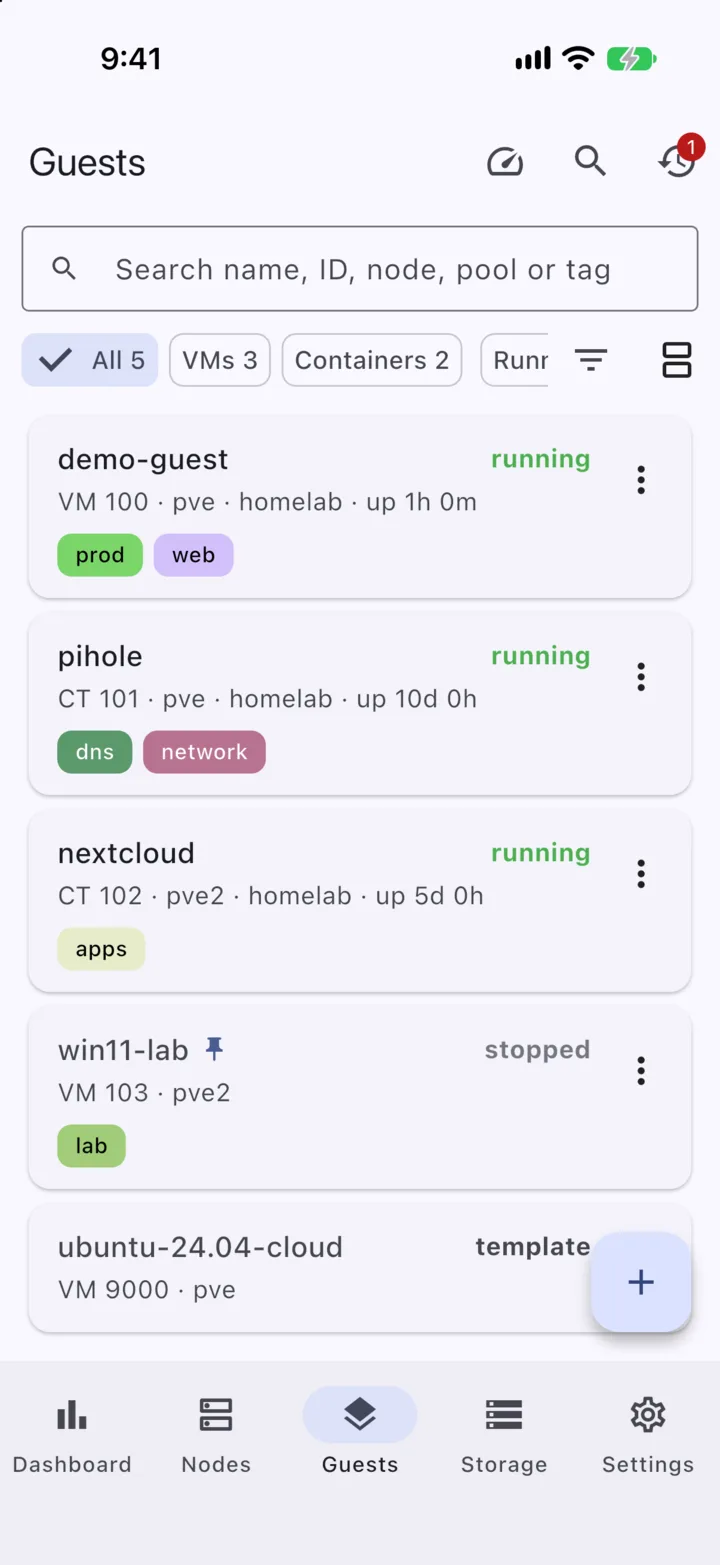
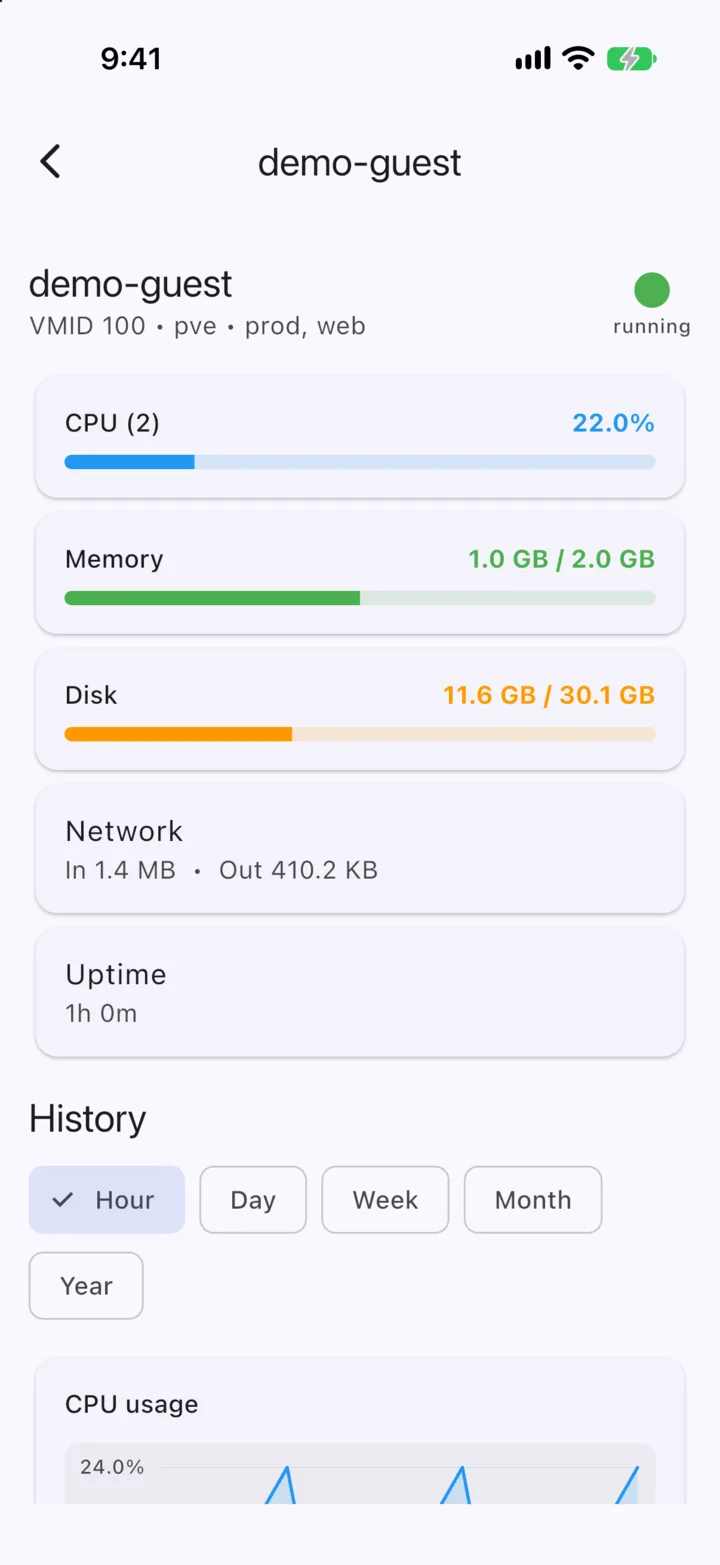
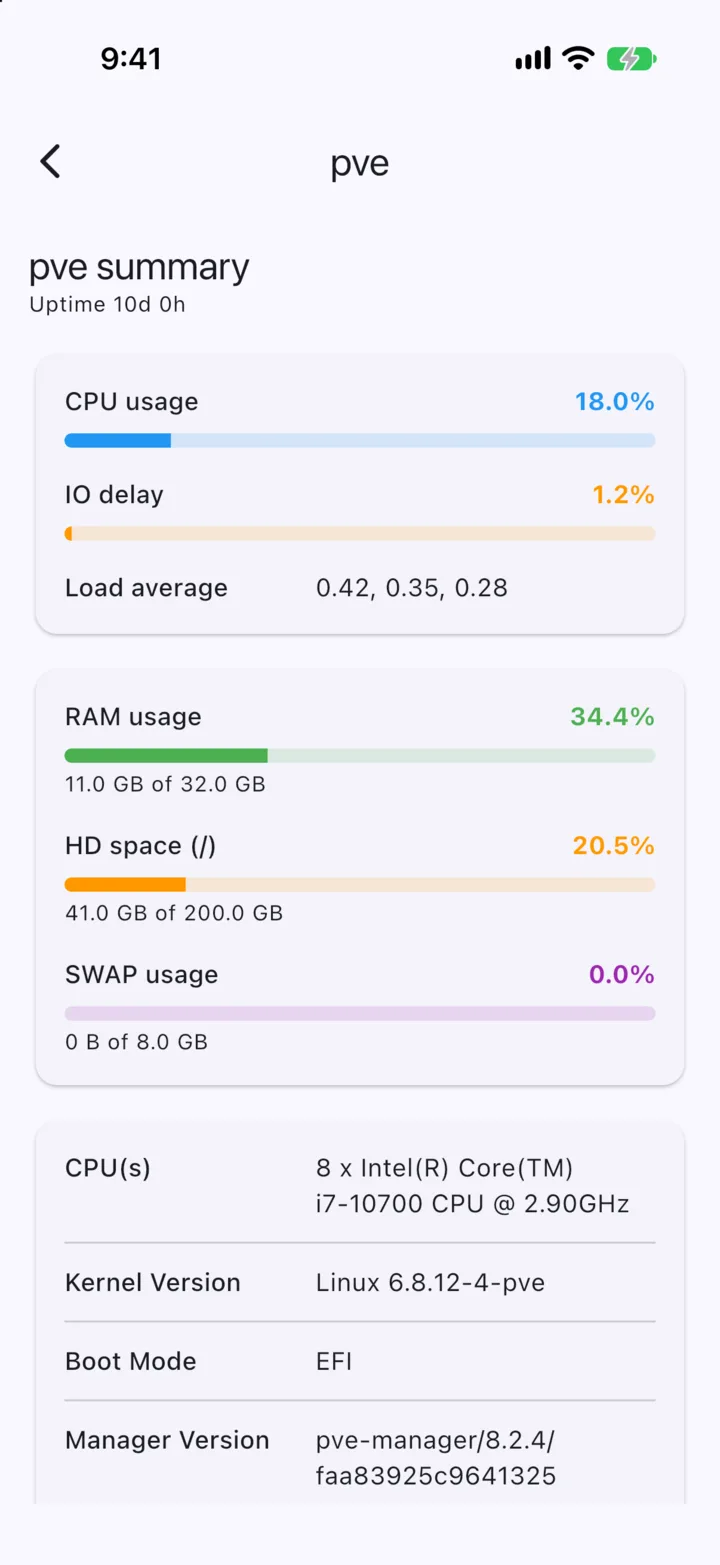
VisorMon puts your Proxmox VE servers in your pocket. It shows how your cluster, nodes, virtual machines, containers and storage are doing, and lets you act on them from your iPhone or Android phone.
VisorMon talks straight to your Proxmox server from your phone, through the same API the Proxmox web interface uses, on your network or over a VPN. There is no VisorMon account and no VisorMon server in between. What you can see and do depends on the permissions of the account you sign in with, just as it does on the web.
Features
- See what needs attentionThe dashboard sums up the cluster's health, its nodes and the guests under the most load.
- Control your guestsStart, shut down, reboot and stop VMs and containers, open their consoles, take snapshots and backups, migrate and clone them, and change their hardware and options.
- Look after your nodesOpen a node's shell, check its services, updates, network, disks and firewall, and reboot or shut it down.
- Find anythingSearch the whole cluster, follow tasks as they run, and read their logs.
- Built for safetyCredentials stay in your phone's secure storage, with an optional read-only mode, an audit log of your changes and a Face ID or biometric lock.
- Try it firstExplore every screen in the demo, which runs on sample data, before connecting your own server.
Documentation
The VisorMon User Guide walks through every screen and setting, with screenshots. Read it online, chapter by chapter, or download the whole guide as a PDF.
- 1. Welcome to VisorMon What VisorMon does, what you need, and a tour of the app.
- 2. Getting started First launch, signing in to your Proxmox server, demo mode and managing servers.
- 3. The dashboard Your cluster at a glance: health, guests, resources, nodes and subscriptions.
- 4. Nodes A node's readings and history, power actions, the shell, services, updates, network, disks and more.
- 5. Guests Find guests, see how they are doing and act on them.
- 6. Working with a guest Power, console, snapshots, backups, hardware, migrate, clone and creating guests.
- 7. Storage Your storage, what is on it, and what you can do with it.
- 8. Search, tasks and alerts Searching the cluster, following tasks and their logs, notifications and alerts.
- 9. Settings Every setting, what it does and its default.
- 10. Security and privacy Credentials, read-only mode, the audit log and locks.
- 11. VisorMon Pro What is free, what Pro adds, and managing your subscription.
- 12. Troubleshooting What error messages mean and how to fix common problems.
- 13. Quick reference Where to find things, the colors and states the app uses, and a glossary.
Who it's for
Homelab enthusiasts and IT admins who run Proxmox VE and want to check on their cluster, restart a stuck VM or follow a backup without opening a laptop.
VisorMon FAQ & support
A Proxmox VE server or cluster that your phone can reach, on your network or over a VPN, and a Proxmox account or, better, an API token with the permissions for what you want to do. What you can see and do depends on that account's permissions, just as it does in the Proxmox web interface.
No. VisorMon talks straight to your Proxmox server from your phone, through the same API the Proxmox web interface uses. Your server addresses, credentials and everything your servers return stay between your phone and your servers. See the VisorMon section of our Privacy Policy for details.
The tour, the sign-in screen and the whole demo are free. To use VisorMon with your own Proxmox servers you need VisorMon Pro, a subscription with a 7-day free trial for new subscribers. Pro comes in Yearly, Monthly and Weekly plans that all include the same features, for as many servers as you like.
Yes. Turn on read-only mode and VisorMon will show your cluster without letting anyone change it from the app. The Security and privacy chapter of the user guide explains read-only mode, the audit log and the app lock.
No. VisorMon is an independent app and is not affiliated with, endorsed by, or sponsored by Proxmox Server Solutions GmbH.
The VisorMon User Guide covers every screen and setting, with screenshots. Read it online or download it as a PDF from the Documentation section above.
Purchases are handled by Apple or Google. On iPhone, go to reportaproblem.apple.com or your Apple ID purchase history and choose Report a Problem. On Android, request a refund through Google Play.
Still need help?
Check the Troubleshooting chapter first, or email support@jimmyfatmasterson.com with your phone model, its software version, your Proxmox VE version and what happened. Please leave server addresses and credentials out of anything you send. We usually reply within 24–48 hours. See our Privacy Policy and Apple's standard EULA.
 Vertical Indicator
 Routine Hub
 PlaneAboveMe
 Push-Ups: Form & Rep Tracker
 Segmented Timer
 Penguin Poop
 CarInsight
 TrackSets
 myPill-Pal
 Prompt Meter
 SnapNSplit
 ProofPair